

Advanced Certificate in Graphic Design
The Advanced Certificate in Graphic Design provides students with a comprehensive understanding of graphic design, illustration, photo manipulation, and UX/UI design. By combining the Certificates in Adobe Photoshop, Adobe Illustrator, Graphic Design using Canva, and UX/UI Design, students will gain a well-rounded education that prepares them to excel in a variety of creative industries.
- Earn an Industry Recognised Qualification
- 100% Online Study From Home
- Receive Unlimited Tutor Support
Course Overview
Course Description
The Advanced Certificate in Graphic Design is a comprehensive program that combines the Certificates in Adobe Photoshop, Adobe Illustrator, Graphic Design using Canva, and UX/UI Design.
This program is designed to provide students with an in-depth understanding of graphic design principles and techniques, including photo manipulation, illustration, typography, user experience and interface design. At the end of this course, students will learn how to create visually compelling designs that effectively communicate ideas and messages.
Course Outcomes
- Understanding of the principles of graphic design and how they apply to various mediums
- Mastery of Adobe Photoshop for photo editing, manipulation, and retouching
- Understanding of typography and its importance in graphic design
- Knowledge of color theory and how to effectively use colour in designs
- Mastery of composition and layout principles
- Understanding of branding and how to create a cohesive visual identity
- Mastery of Adobe Illustrator for vector graphic design and illustration
- Proficiency in creating designs using Canva's user-friendly platform
- Ability to create engaging user interfaces for websites and mobile applications
- Knowledge of user experience design and how to create intuitive and user-friendly interfaces
- Ability to create wireframes and prototypes for user testing and feedback
- Mastery of design software and tools commonly used in the industry.
Course Requirements
- You will need a copy of Adobe CC or above. A free trial can be downloaded from Adobe.
- You will need access to Canva. You can use the free version but a subscription to the pro version is highly encouraged.
- No previous design experience is needed.
- On-demand video course
- Downloadable resources
- Full lifetime access
- Access on mobile and desktop
- Assignments
- Certificate of Completion
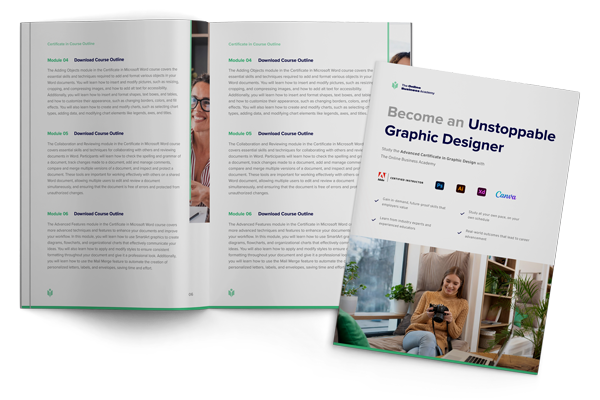
Discover in detail what you will be learning in this course. Download your FREE course curriculum now
curriculum now
Course Modules
- The Advanced Certificate in Graphic Design is comprised of the following courses:
- Course Introduction and Overview of Adobe Photoshop
- Core Photoshop Tools and Navigation in Adobe Photoshop
- Professional Photo Editing and Retouching
- Exploring Neural Filters and AI-Driven Effects
- Visual Design Principles and Colour Theory
- Graphic Design Projects and Brand Identity Development
- Digital Illustration and Visual Style Techniques in Photoshop
- Course Wrap-Up and Design Career Pathways
- Capstone Projects for Portfolio Development
- Foundations of Vector Design with Adobe Illustrator
- Understanding How Illustrator Works
- Working with Basic Shapes
- Applied Vector Effects and Styling Methods
- Digital Drawing Techniques and Vector Sketching
- Creative Brush Systems and Customisation
- Creating a Logo in Illustrator
- Designing Effective Icon Systems
- Illustrating Concepts Through Vector Imagery
- Typography and Letterform Design in Vector Media
- Grids, Symmetry & Precision in Geometric Design
- Gradient Systems and Colour Transitions in Design
- Designing Charts and Graphs in Adobe Illustrator
- Repeating Pattern Systems and Decorative Design
- Using Masks in Adobe Illustrator
- Discovering Your Illustration Style
- Introducing 3D Form and Lighting in Illustrator
- Isometric Drawing and Technical Perspective
- Designing Zines and Sequential Layouts
- Preparing Illustrator Files for Animation
- Blend Tool Mechanics and Smooth Transitions
- Introduction to Canva and Digital Design Fundamentals
- Professional Business Documentation Design
- User Interface Design Foundations Using Canva
- Designing Promotional Materials for Marketing Campaigns
- Social Media Content Design and Digital Engagement
- Annual Report Layouts and Data Visualisation
- Email Newsletter Design and Branding Consistency
- Landing Page Design Principles and Conversion Optimisation
- Visual Process Mapping and Diagramming
- Mind Mapping and Collaborative Whiteboard Design
- Educational Resource Design for Classrooms and eLearning
- Checklist and Organisational Template Design
- Planner and Journal Design for Wellness and Productivity
- Personalised Gift Design and Print Preparation
- Product Mock-Up Design for Merchandise Applications
- Capstone Project: Advanced Graphic Design Techniques
- Getting Started with UX/UI Design
- Introduction to Adobe XD and User-Centered Design Principles
- Wireframe Development for Interface Prototyping
- Setting Up Your Workspace in Adobe XD
- UI Component Design and Visual Interface Construction
- Interactive Prototyping and Usability Testing Strategies
- Building User Journeys and Application Flows
- Advanced Techniques: Motion Design, Plugins, and Cross-Device Design
Key Benefits
- Find the key benefits of undertaking this course below:
- Flexible start dates – enrol online and start when you are ready.
- Complete your studies online, at your own pace.
- Be awarded with an industry recognised certificate upon course completion.
- Get ahead of the job market with a skill that companies need.
- Receive unlimited tutor support from certified professionals.
- Receive a free CV makeover and expert career advice.
Ready to start? Enrol in minutes
We’ve made it easy to jump into learning:
1. Select your course and click “Enrol Now”
2. Complete our secure checkout in just a few clicks
3. Instantly receive your login details via email and start learning immediately
Take the next step toward your goals with confidence.

Not sure if this is the right course for you?
Every course comes with a 10-day money-back guarantee
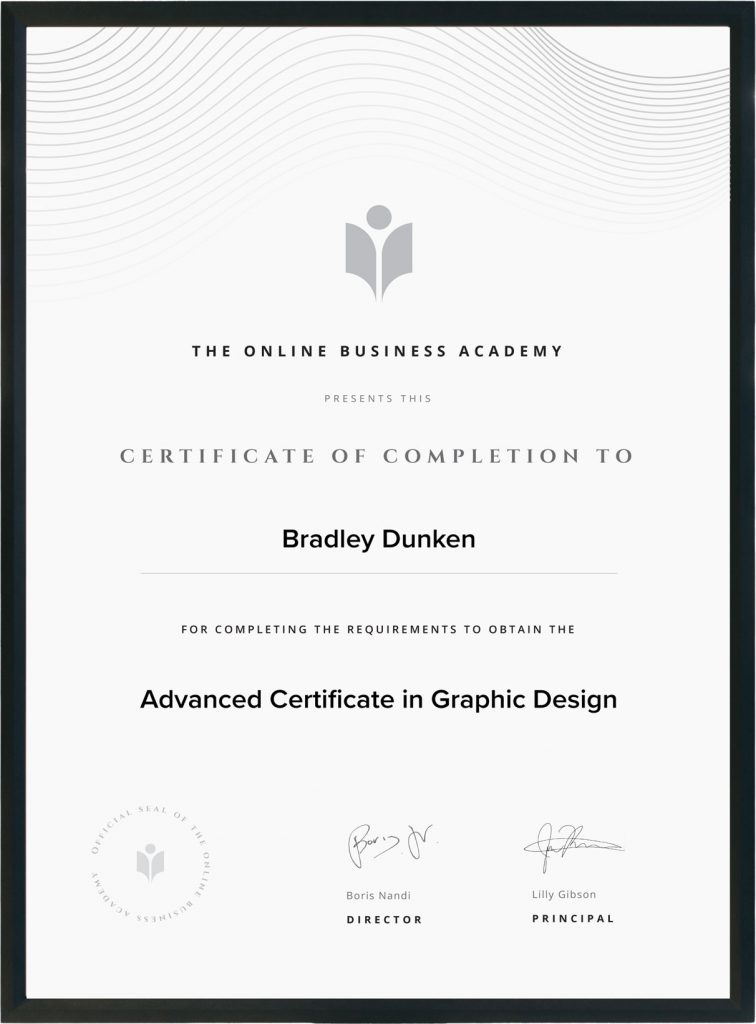
Obtain a Certificate
Obtain a graphic design degree on course completion that you can show off to your potential employers and clients.
Job Prospects
Upon completion of this program, you can obtain a job as a Graphic Designer.
-
Average Australian Graphic Designer Salary: $60,000
-
Average Senior Graphic Designer Salary: $75,000
Not sure if this is the right course for you?
Every course comes with a 10-day money-back guarantee
Not sure if this is the right course for you?
If you complete the course and don’t feel more confident in your skills, we’ll give you a free one-to-one coaching session.
Get a Free Course Guide
Download a free course guide to find out everything you need to know before enrolling
By downloading the Course Guide, you agree to our Privacy Policy and receiving email and other forms of communication from us. You can opt- out at any time. This site is protected by reCAPTCHA and the Google Privacy Policy and Terms of Service apply.
Frequently Asked Questions
This qualification is Internationally recognised. Our qualifications are highly sought after by employers around the world and accredited by global industry bodies such as ICOES.